Managing End users
Once you have registered end users on the SatVu platform, you can view and manage them using either the Web App or the Reseller API. This includes:
- Viewing all registered end users and their KYC status
- Viewing all associated end user companies and their KYC status
- Setting up notifications for changes to KYC statuses of end users
End users are registered at the Account level, not per contract. The list of registered users and companies will contain all of the users registered across your entire account
This tutorial outlines how to manage end users via both the SatVu Web App and the Reseller API.
Managing end users in the Web app
To view your end users in the SatVu Web app, access Account settings through the Profile menu
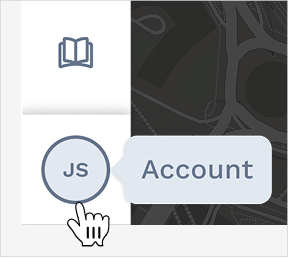
Within Account Settings, navigate to the End users tab.
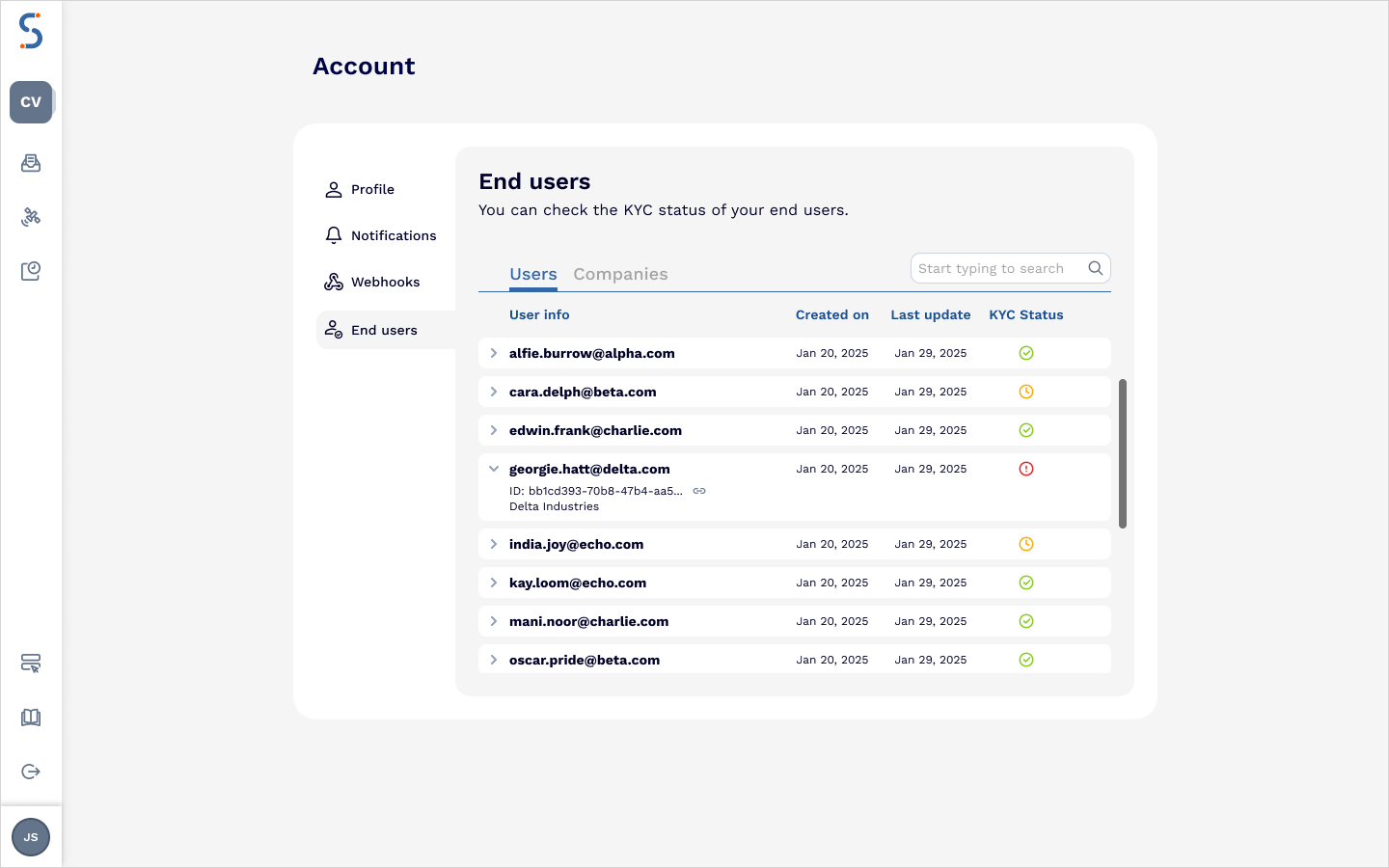
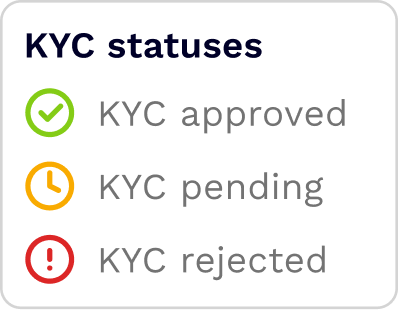
This tab will display all of the users who have been registered within your account. Each row displays the user’s information, along with the KYC status:
You will only see the End Users tab if your account has access to a reseller contract. If you don’t have any reseller contracts, this section will not be visible
The search bar can be used to search through:
- Contact email
- User name
- Company name
- KYC status
To view a list of unique companies (rather than individual users), select the Companies tab. This shows one entry per end-user organization, with the current approval status for each company.
Managing end users in the API
The Reseller API allows you to retrieve and search registered end users and companies programmatically.
Getting a list of all registered end users
To get a list of all end users registered on your account, use the reseller users endpoint GET /users
curl -X GET "https://api.satellitevu.com/resellers/v1/users"
-H "Authorization: Bearer ${ACCESS_TOKEN}"
The users are returned as a list of objects, with each object representing the information for a single user.
Getting a list of all registered companies
To retrieve all end-user companies associated with your account, use the reseller companies endpoint GET /companies
curl -X GET "https://api.satellitevu.com/resellers/v1/companies"
-H "Authorization: Bearer ${ACCESS_TOKEN}"
Searching for users and companies
The Reseller API supports two search endpoints
- POST
/search/usersfor end users - POST
/search/companiesfor companies.
Both endpoints support partial and exact match queries, and filtering by KYC status.
Searchable fields:
POST /search/users | POST /search/companies |
|---|---|
| - User email | - Company name |
| - User name | - Company ID |
| - User ID | - KYC status |
| - Company name | |
| - KYC status |
The following example searches all of the fields for an end user that matches the string “John”. By specifying the “kyc_status” to only include passed, this will only return users who have an approved KYC status.
export ACCESS_TOKEN="xxx…xxx"
curl -X POST "https://api.satellitevu.com/resellers/v1/search/users"
-H "Authorization: Bearer ${ACCESS_TOKEN}"
-H "Content-Type: application/json"
-d '{
        "limit": 100,
        "token": "string",
        "search": [
                    {
                        "type": "exact",
                        "string": "John",
                        "fields": "all"
                    }
                  ],
        "kyc_status": [ "Passed" ]
    }'
Setting up webhook notifications for updates to KYC statuses
You can configure webhooks to notify your system when there are changes to any registered end user or company - including updates to KYC statuses.
This enables real-time automation when a user is approved or rejected.
More details on how to configure webhook notifications are available in Webhooks guide.
Webhook setup for end-user updates is only available to accounts with reseller contracts.
The webhook notification follows the standard webhook specification. Here is an example of the request body which will be included in the Webhook notification sent when there is an update to a User’s KYC status
{
  "type": "kyc.end-company-update",
  "timestamp": 1748530374,
  "data": {
    "reseller_end_user_email": "john.doe@example.com",
    "reseller_end_user_id": "3c1b1e67-202f-45da-acc1-87cd8d67fb78",
    "kyc_status": "Not completed",
    "kyc_status_last_updated": "2025-05-01T13:14:15Z",
    "reseller_end_user_company_id": "3c1b1e67-202f-45da-acc1-87cd8d67fb78",
    "reseller_end_user_created_at": "2025-01-01T12:00:00Z",
    "user_id": "John Doe"
  }
}