Notification Settings
The SatVu platform supports automated email notifications, allowing you to stay informed of key events without manually checking the platform.
Currently, email notifications are available for the following events:
| Event | Description |
|---|---|
| Tasking order status updates | Receive a notification when a tasking order status is updated to Fulfilled, Failed or Expired |
Email notifications
Email notifications can be managed in your Account Settings. By default, all notifications are disabled. You can update your notification preferences in the Web app, API or SDK.
Once notifications are enabled for an event, you will receive updates for all future occurrences. Notifications can be disabled at any time by adjusting your account settings.
If you are not receiving notifications, please check your spam/junk folder. If issues persist, contact support@satellitevu.com for further assistance.
Setting notification preferences in the Web app
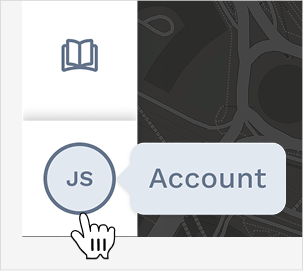
To set notification preferences in the SatVu Web App, access Account Settings through the Profile menu:
Within Account Settings, navigate to the Notifications tab to view your current settings:
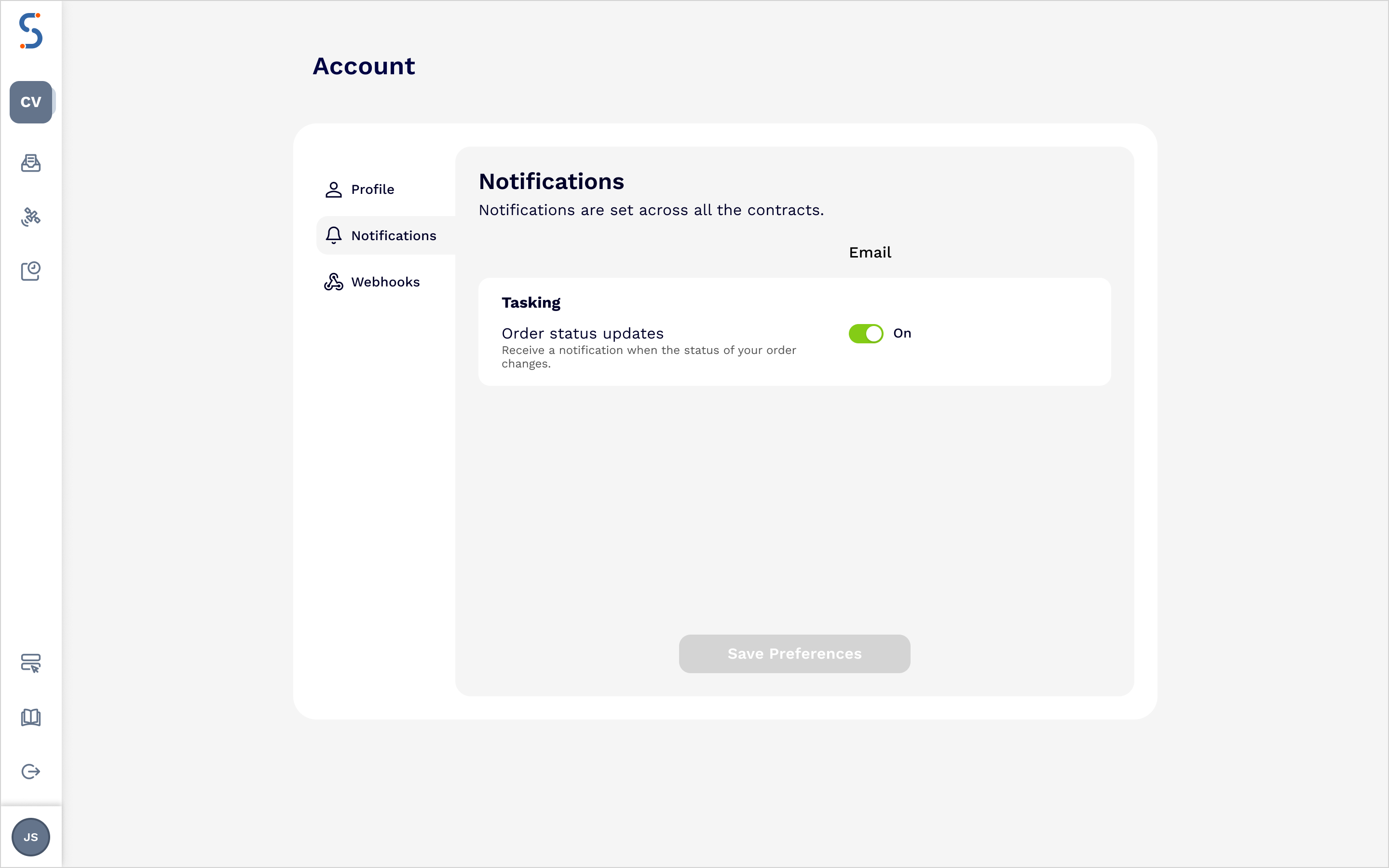
Use the toggles to enable notifications for your preferred events, then Save Preferences. This will enable email notifications for all future events you select. You can return to the Account Settings at any time to update or disable notifications.
Setting notification preferences via the API
Notification preferences can be viewed and managed through the API. For more information see the ID API reference. The examples below outline how to:
- View your current account settings
- Update your notification preferences
Viewing your current account settings
To view your account settings, use the user details endpoint GET /user/details.
curl -X GET "https://api.satellitevu.com/id/v3/user/details/" \
-H "Authorization: Bearer ${ACCESS_TOKEN}"
Notification preferences are stored as a nested dictionary within the user_metadata object
An example of the response is below
{
    "user_id": "...",
    "name": "Your Name",
    "email": "email@satellitevu.com",
    "user_metadata": {
        "notifications": [
            {
                ...
            }
        ]
    },
    "last_login": "..."
}
Updating your notification settings
To update your notification settings, use the PUT /user/settings endpoint. The endpoint takes a mapping of the preferences that you would like to update. Here’s an example request to update email notifications to enable tasking order status updates
export ACCESS_TOKEN="xxx…xxx"
curl -X PUT "https://api.satellitevu.com/id/v3/user/settings/" \
-H "Authorization: Bearer ${ACCESS_TOKEN}" \
-H "Content-Type: application/json" \
-d '{
   "notifications": [
        {
            "category": "tasking",
            "settings": [
                {
                    "topic": "tasking:order_status",
                    "email": true
                }
            ]
        }
    ]
}'