SatVu platform contract definition
Every contract in the platform has a set of parameters that you define during the process of setting up the agreement:
| Parameter | Details |
|---|---|
| Name | A name used to easily identify the Contract. |
| Credit Limit | This defines the maximum value that can be spent on the contract. This helps to manage spending in a controlled way. Each data purchase will deduct money from the credit limit. To increase your credit limit, please contact your SatVu sales representative. |
| Start / End dates | These enable tracking and management of the contracts in a controlled environment. You will not be able to access the contract before the start date or place data orders after the end date. |
| Products | This refers to the access levels to different products within the platform. Based on the contract agreement, each contract may have access to the SatVu Catalog and/or different Tasking products. |
| Licence options | This refers to the different licence options available when purchasing SatVu data. The different licence options have different terms of use, as defined by the End User Licence Agreement. Each contract may have different licence options available. |
| Geographical Access | This refers to the geographical area where access to SatVu data is permitted. This will either be global access or access to a specified region. The area is valid for both Catalog and Tasking. |
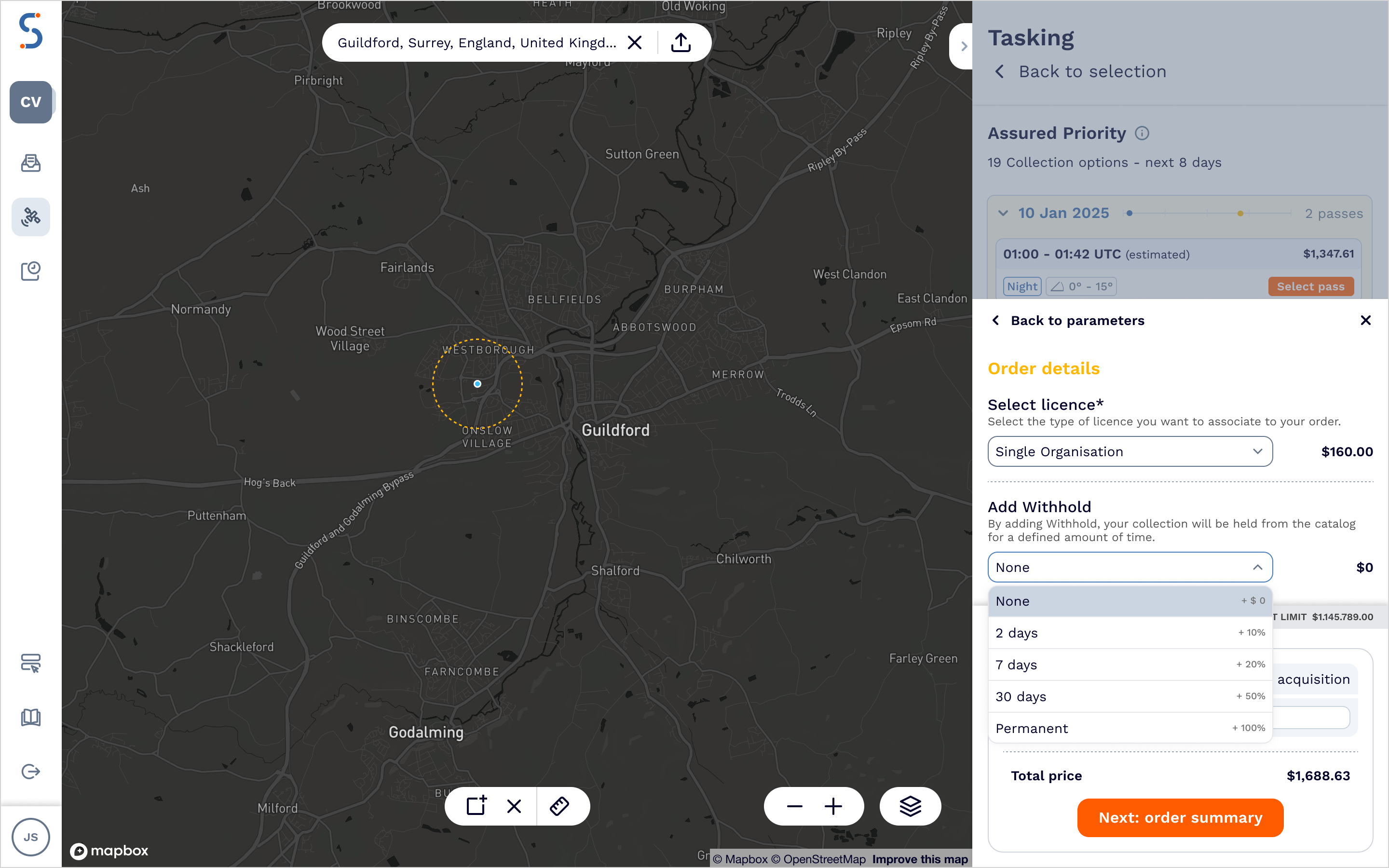
| Catalog Withhold options | This refers to the capability of withholding ordered tasking data from being published in the catalog. For a selected period of time, the data will only be visible for a user who placed an order. Each contract defines the withhold options for tasking data ordering. |
In the SatVu platform web application, you must select the contract to start exploring the data catalog or to place tasking orders. For API users, you need to specify the contract ID in the endpoint path. Further information on how to view information for each restriction for the Contract is available in Contract information.
Product Access
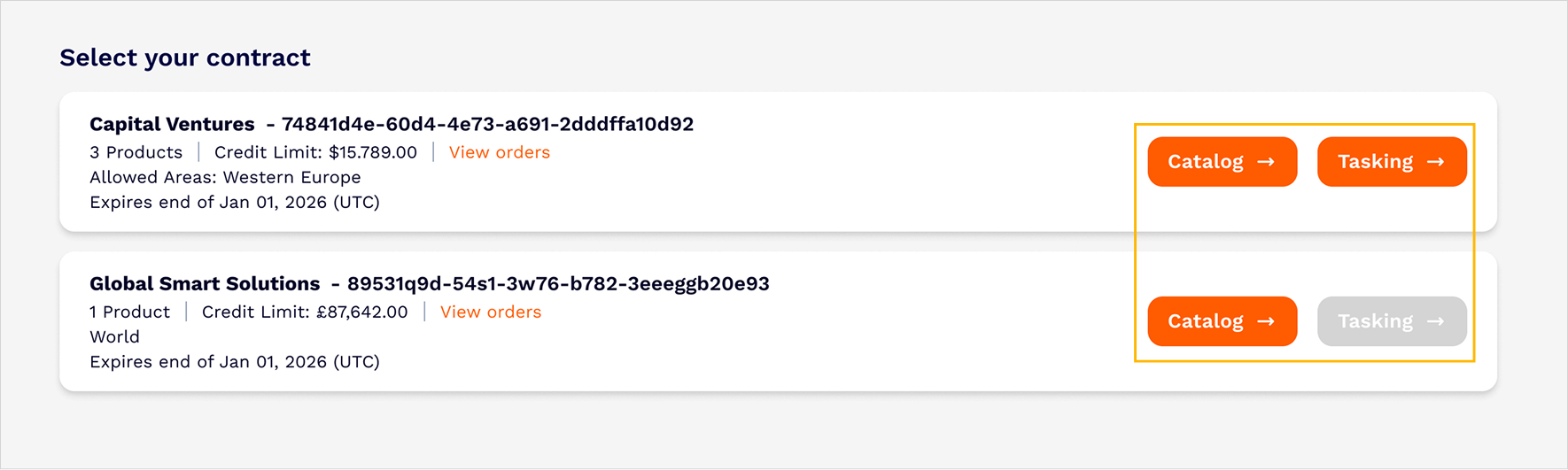
The SatVu platform contains a number of different products, including the SatVu Catalog and different Tasking levels. Based on the contract, users may have access to all products, or a subset of the products. The available Products for each contract are highlighted on the Dashboard page of the UI
Licence level options
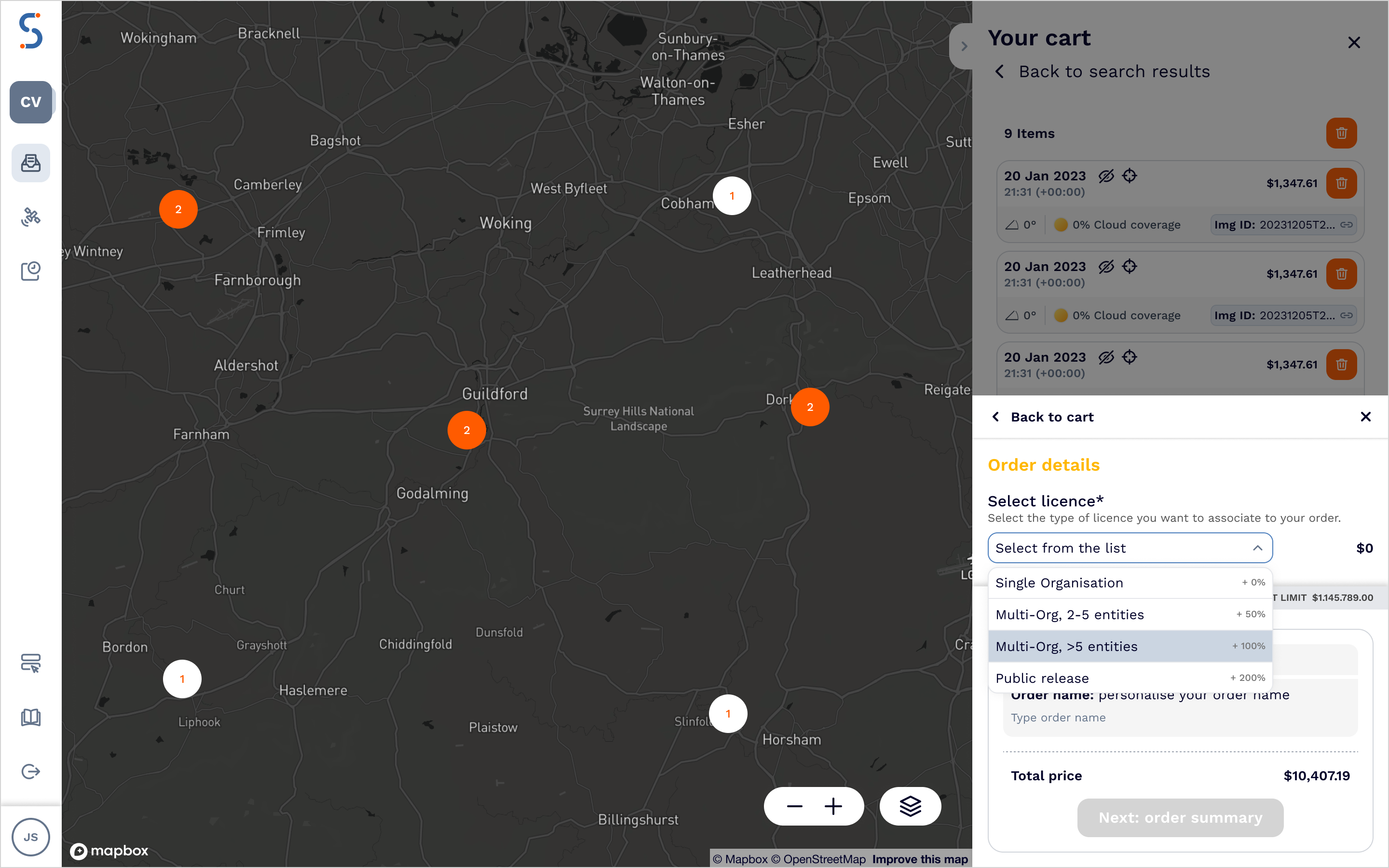
When purchasing SatVu data, the terms of use are defined by the End User Licence Agreement (EULA). Within the EULA, there are a number of different licence levels which are defined, each with different terms of use. Each contract will have a different set of licence levels available for the user to select when purchasing data - as defined by a customer’s purchase agreement.
For the web app users, licence level options are displayed when placing both a catalog order or a tasking order. You can choose an option, and you will see the price uplift associated with it.
Geographical access
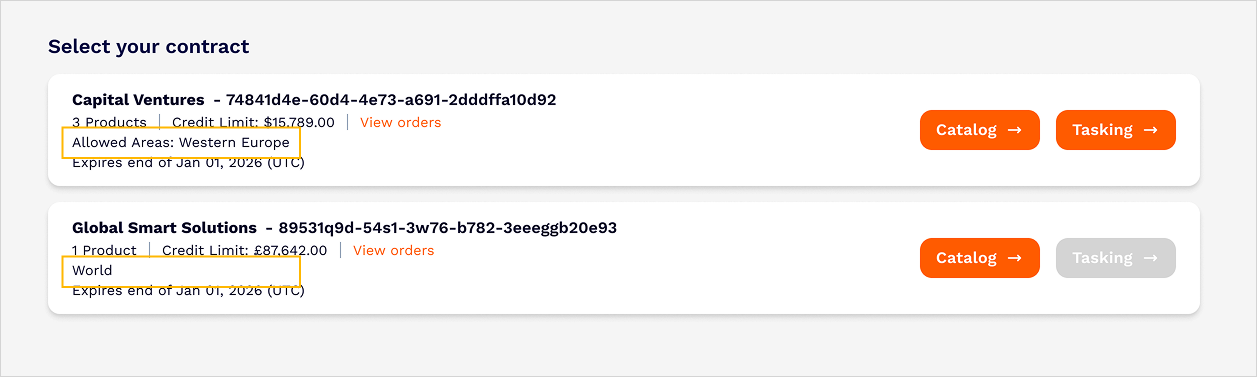
The information about the geographical area of access is visualised on the Dashboard and then in catalog and tasking applications.
The Dashboard has a label that describes whether the contract provides access to the entire world or to some specific region.
In the case of the contract provides access to a specific region only, you will notice different styling applied on a map. The area where you cannot access historical data or task a satellite is greyed out.
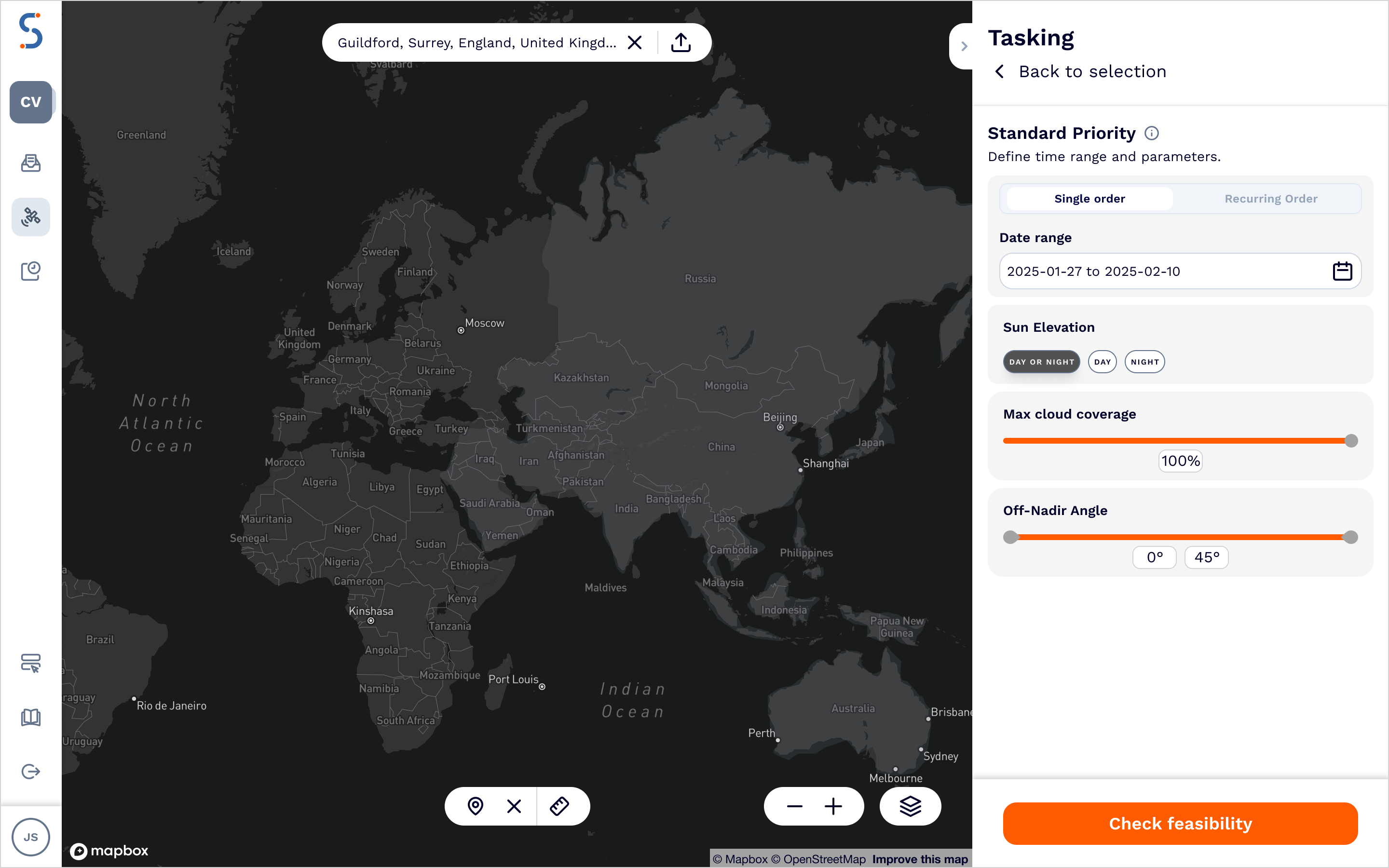
For this area, you will not be able to run a feasibility check, retrieve the price or place the tasking order. In addition, searching for available catalog data in this area will return empty results.
Catalog withholds
Each contract could have different catalog withhold options enabled. Each option represents the amount of time the images are withheld from the public catalog. Catalog withhold options are defined for all tasking products.
For the web app users, catalog withhold options are displayed when you place a tasking order. You can choose an option, and you will see the price associated with it.
For the API users, you can find information how to retrieve available withhold options in the Contract Information page.