RESTful API
API References
Our API reference documentation is organised in a service-by-service way as follows:
| API | Description |
|---|---|
| ID API | Manage client secrets, notification preferences and webhooks |
| Wallet API | Check credit balances for your contracts |
| Policy API | Retrieve information about your contracts |
| Catalog API | Search the catalog following the STAC specification |
| Orders API | Create, retrieve and list catalog data orders, and access ordered data |
| Tasking API | Create feasibility requests, order satellite tasking, and retrieve tasking data |
| Reseller API | Register and manage end users (resellers only) |

API Authentication
To use the SatVu API, you must send an access token in an Authorization header with each request.
To get the token, you first need to retrieve the Client ID and Client Secret values from your user profile in the
web application.
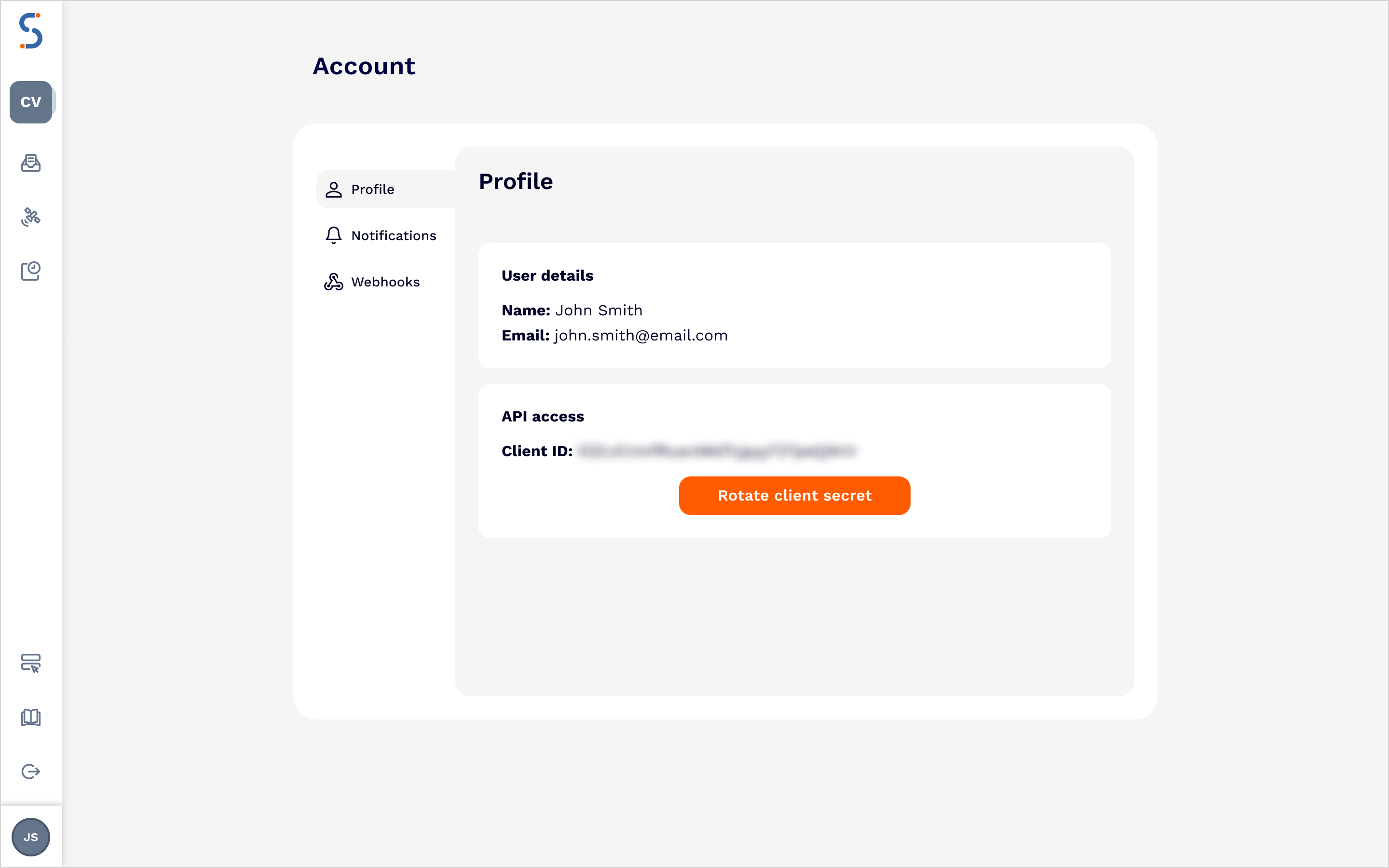
Once you have them, you can generate an access token, with the required parameters shown here:
export CLIENT_ID=xxx
export CLIENT_SECRET=xxx
curl -X POST https://auth.satellitevu.com/oauth/token \
-H "Content-Type: application/x-www-form-urlencoded" \
-d "grant_type=client_credentials" \
-d "audience=https://api.satellitevu.com/" \
-u ${CLIENT_ID}:${CLIENT_SECRET}
We recommend you implement the required OAuth2 client credential workflow to better handle authentication, so that you don’t need to create a new token for every request.
Using the token
Once you have an access token, you must provide it for every API request. Here is an example of creating a feasibility request:
export CONTRACT_ID="xxxxxxxx-xxxxxxxx-xxxxxxxx-xxxxxxxx"
export ACCESS_TOKEN="xxx…xxx"
curl -X POST "https://api.satellitevu.com/otm/v2/${CONTRACT_ID}/tasking/feasibilities/" \
-H "Authorization: Bearer ${ACCESS_TOKEN}" \
-H "Content-Type: application/json" \
-d '{
  "type": "Feature",
  "geometry": {
    "coordinates": [
      -2.7783632,
      53.3240764
    ],
    "type": "Point"
  },
  "properties": {
    "datetime": "2023-11-01T00:00:00/2023-12-31T23:59:59",
    "satvu:day_night_mode": "day",
    "max_cloud_cover": 100,
    "min_off_nadir": 0,
    "max_off_nadir": 45
  }
}'
Contract information, restrictions and add ons
When using the SatVu Platform, for Tasking or Catalog, you must specify which Contract you are working under. Contracts define the terms, access rights and restrictions applied to your requests. For details on how to retrieve the list of contracts and the associated information for each contract via the API can be found in Contract Information.