Catalog search and order
You can search for data in our catalog based on the images’ metadata. SatVu follows the STAC specification and therefore enables a variety of search parameters.
The following table indicates the search parameters for Geometry supported in different interfaces
| Parameter | API | Python SDK | Web app |
|---|---|---|---|
| Geometry | ✅ | ✅ | ✅ |
| Supported spatial relationship | Intersects | Intersects | Intersects |
| Geometry types | Point, MultiPoint, Linestring, Multilinestring, Polygon, Multipolygon | Point, MultiPoint, Linestring, Multilinestring, Polygon, Multipolygon | Point, Polygon |
Also supported across all interfaces:
- Date range
- Catalog scene identifier
- Cloud coverage
- Off-nadir angle
- Ground sample distance
- Azimuth angle
- Sun elevation angle
- Sun azimuth angle
- Collection
- Platform
While filtering your search using core STAC querying, please note that if a catalog image meets some but not all of your conditions, it will not appear in the search results. The only exception is if you search by item IDs – in this case, all other parameters are ignored.
SatVu platform API and Python SDK support an advanced querying interface leveraging the CQL2 via the STAC filter extension. For more information, check the Advanced catalog querying.
In addition to search parameters, a user can specify sorting rules and the number of items to return in a single query.
Image thumbnail and preview
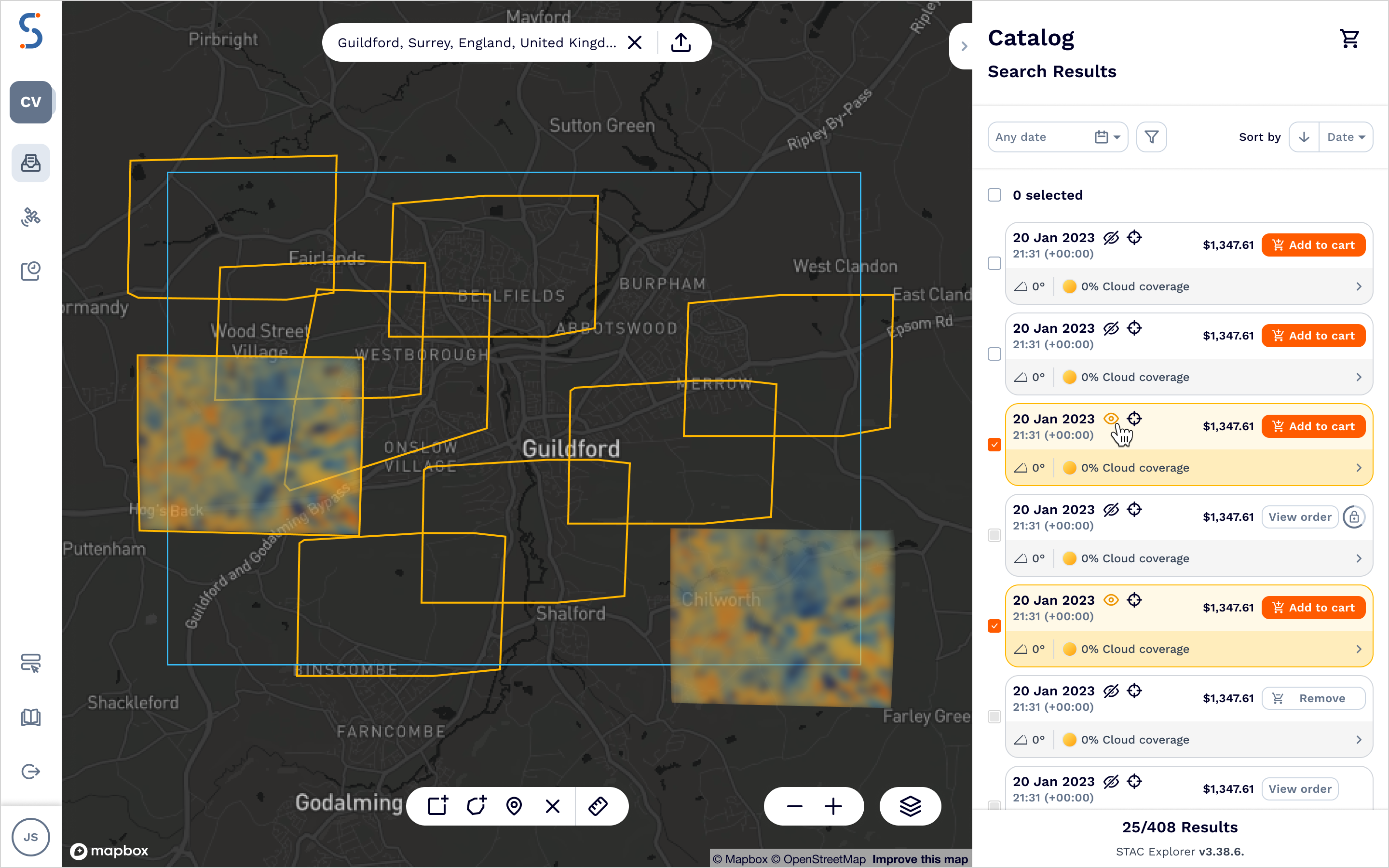
Every catalog scene has an associated preview and a thumbnail image made visible through the SatVu web app. These are provided to give you an understanding of how the data will look and are not georeferenced. The thumbnail might be particularly useful in cases where there is partial cloud coverage in an image and you want to be sure this doesn’t obscure your area of interest.
Previews will appear on the map when you select an image in the sidebar or click on the corresponding footprint (outlined in yellow).
Placing a catalog order
Once you’ve searched the catalog and identified scenes that you are interested in, you can order them. You can specify up to 100 scenes in a single order.
Catalog data delivery is almost immediate. There are no order statuses for Catalog orders - as soon as you place an order, it will be fulfilled and you get access to the requested data.